Plaud Note is a one-tap, always-ready AI-powered notetaking platform that combines hardware and software to deliver high-quality and well-structured transcriptions and summaries of your conversations.
It includes a discreet voice-recorder device, available in four different colors, that pairs with an intuitive smartphone app to transcribe audio from meetings and phone calls.
It supports over 100 languages, recognizes different speakers, and provides more than 3,000 summary templates. Thanks to its 64 GB storage, the device offers autonomy for up to 30 hours of continuous audio recording.
The service is designed for professionals with frequent meetings and calls, such as interviewers, journalists, and researchers, and is available for purchase at $159. If you’re not happy, you can get a refund within days of purchase.
The first thing we noticed about Plaud Note is that its credit card size makes it incredibly lightweight and easy to carry around.
Since the device is also designed to record phone calls, there’s a sturdy magnetic case (MagCase) and a magnetic ring available for attaching the small device to the back of your smartphone’s cover.

Plaud Note is available in four colors: black, silver, navy blue, and starlight, while the MagCase is available in five colors: brown, blue, green, dark blue, and black.
Once inserted into the MagCase, the device is difficult to remove – though this shouldn’t be a major issue. This design ensures the device stays firmly in place.
Of course, you can still use Plaud Note in your pocket, but using it on your smartphone yields the best audio quality and transcription accuracy – especially for recording phone calls.
It’s important to mention that the Plaud Note device isn’t waterproof, so even if your smartphone is, avoid exposing it to water.


Pairing Plaud with the mobile app is a quick process.
The first step is registering for an account after downloading the Plaud Note app.
After logging in, you must enable your mobile device’s Bluetooth, tap the device’s recording button, and wait for it to pair successfully.
Connectivity worked perfectly, and the pairing process was seamless.

Plaud Note has two different recording modes – notes and phone calls – which you toggle using the physical switch on the device.
Then, you can start recordings by either long-pressing the record button on Plaud Note or directly through the connected mobile app.
When you long-press the button, the device vibrates. For stopping recordings, the process is the same.
Additionally, Plaud Note includes a visual aid in the form of a small red light whenever it’s recording.

After stopping a recording, Plaud Note automatically syncs it with the app. You can listen to the time-stamped audio clips in this app, which sync impressively fast.
It’s easy to edit the audio directly from the app. For example, you can trim or split the clip into multiple segments and save them independently.
Users don’t need to worry about silent gaps where no dialogue is happening, thanks to the smart audio segmentation, which automatically removes them.
Moreover, users can fine-tune the playback speed and AI speech enhancement, which has four voice clarity options for suppressing background noise: off, low, medium, and high.


Generating transcriptions takes more time than the syncing process and is one of Plaud Note’s drawbacks.
Depending on the clip’s duration, you’ll have to wait a few minutes until it’s ready. For example, a four-minute recording took nearly three minutes to transcribe.
Fortunately, the translation happens in the background, and the app doesn’t stop working while the process is ongoing.
Our experience with the transcription quality was impressive. We tested Plaud's note recording mode using a pre-written script in both quiet and noisy environments. We also purposely stuttered and hesitated occasionally when speaking to make the test more reliable.


The auto-generation produced highly accurate transcriptions that, apart from a minor spelling error here and there, were exceptionally close to the original dialogue.
Here’s what we found about Plaud note recording mode:
You can also count on Plaud Note if you’re looking to record and summarize phone calls. Like the note mode, phone call recordings offer solid and clear audio quality even in noisy environments.
While phone call transcriptions are also pretty accurate, you might find occasional volume imbalances between speakers, which can undermine playback quality if you’re recording interviews or podcasts.
Plaud isn’t always accurate regarding speaker label identification, but it works well most of the time. Whenever possible, we recommend accepting calls in quieter environments for more accurate labeling.

Phone call recording only works when using the phone speaker. Headphones aren’t supported as of the writing of this review.
It doesn’t really matter whether you’re calling from your phone or using a VoIP service. Plaud works with both as long as you’re using your smartphone speaker.
AutoFlow is one of our favorite features. As the name implies, it offers workflow automation.
In brief, you can set up custom words that trigger specific outcomes when detected. For example, you can create the following workflow:

Plaud can be used out of the package. However, we recommend customizing the settings to your preference to get the most out of the service.
In addition to selecting the default transcription language, Plaud allows you to add custom vocabulary and terminology to enhance transcription accuracy.
You can do the latter manually, or by selecting industry-specific premade vocabularies for various industries, such as finance and law, healthcare and wellness, or creative and media.
While the extensive customization may seem overwhelming at first, beginners will find a user-centered community hub with over 3,000 templates, each uniquely tailored to specific needs.
The library is well-organized, with different categories and clear descriptions of what each template is designed for.


Plaud Note is a comprehensive, user-focused service.
The multimodal feature is a good example of that.
In addition to allowing you to highlight key moments with a short press, it also enables users to enrich transcriptions with photos, which may be especially useful for students who want to include a picture of a board during lectures.
Notably, the ‘Export as file’ allows users to export the audio, transcript, notes, highlights, and mind maps individually in different file formats.
Importing audio is also possible, and it works just like if you had recorded it with the Plaud device.
Lastly, Plaud Note includes several advanced options.
For example, there’s USB access for accessing files from a computer, Voice Capturing Sensitivity (VCS) to adjust the sensitivity for phone call recordings, and RAW file generation for accessing original, high-quality audio clips.


The Plaud Note app is available for Android (6 or above) and iOS (14.0 or later). The apps are excellently designed and easy to navigate.
The app can be an alternative to the device for starting recordings or changing the recording mode.
All information on your device is on the app, including name, battery levels, and power-off settings.
The app allows you to create folders and sort recordings as needed. We prefer Plaud's web app for this job due to the larger screen. Everything syncs across devices through your private cloud.
From the apps, users can use a search function with filters to find specific recordings or the Ask AI feature, which leverages AI to quickly extract specific data, action items, and conclusions from their recordings.
For enhanced security, Plaud offers various options for locking the app, including Face ID, Touch ID, or screen lock. Regarding privacy, Plaud is compliant with the GDPR, SOC 2, HIPAA, and EN 18031.
The occasional promotional pop-ups on the Starter Plan are a bit irritating. Given that users have already invested in the hardware, these paid subscription prompts feel intrusive.


One of the first things we noticed after pairing the device was a message to connect it to Google Drive. Additionally, Plaud integrates Notion, Gmail, Slack, Teams, Dropbox, and Salesforce.
If your favorite software is not natively supported, you may still be covered since Plaud is compatible with Zapier.

| Lowest price | $159/unit |
| Free trial | 7 days |
| Money-back guarantee | 30 Day(s) |
| Free version |
Plaud has a transparent pricing structure.
All plans include a base fee, which covers the cost of the device. Then, you can choose to add accessories or increase the monthly minutes available.
The cheapest option is Starter: a one-time purchase of $159, where you only pay for the device and receive 300 minutes of transcription per month.
If 300 minutes isn’t sufficient, you can increase the monthly quota to 1,200 minutes by subscribing to Pro for $8.33 per month, billed annually.
Alternatively, it’s possible to get unlimited usage for $19.99 per month (also billed annually) with Unlimited.
Before deciding whether Plaud Note is the right choice for you, we suggest trying the service via a 7-day free trial of the Pro or Unlimited experience.
Even if you end up regretting purchasing Plaud Note after the trial, you can request a refund, as long as you’re still sitting within 30 days of purchase.
Plaud accepts credit and debit cards, PayPal, Stripe, Klarna, Afterpay, Google Play, and Apple Pay.
| 24/7 | |
| Live chat | |
| Phone |
Plaud's support center offers extensive resources for assistance, including device documentation, troubleshooting articles, FAQs, and a blog.
Users in need of help can contact a support agent via chat or a submission form and expect a reply within 24 hours.
The support experience exceeded our expectations.
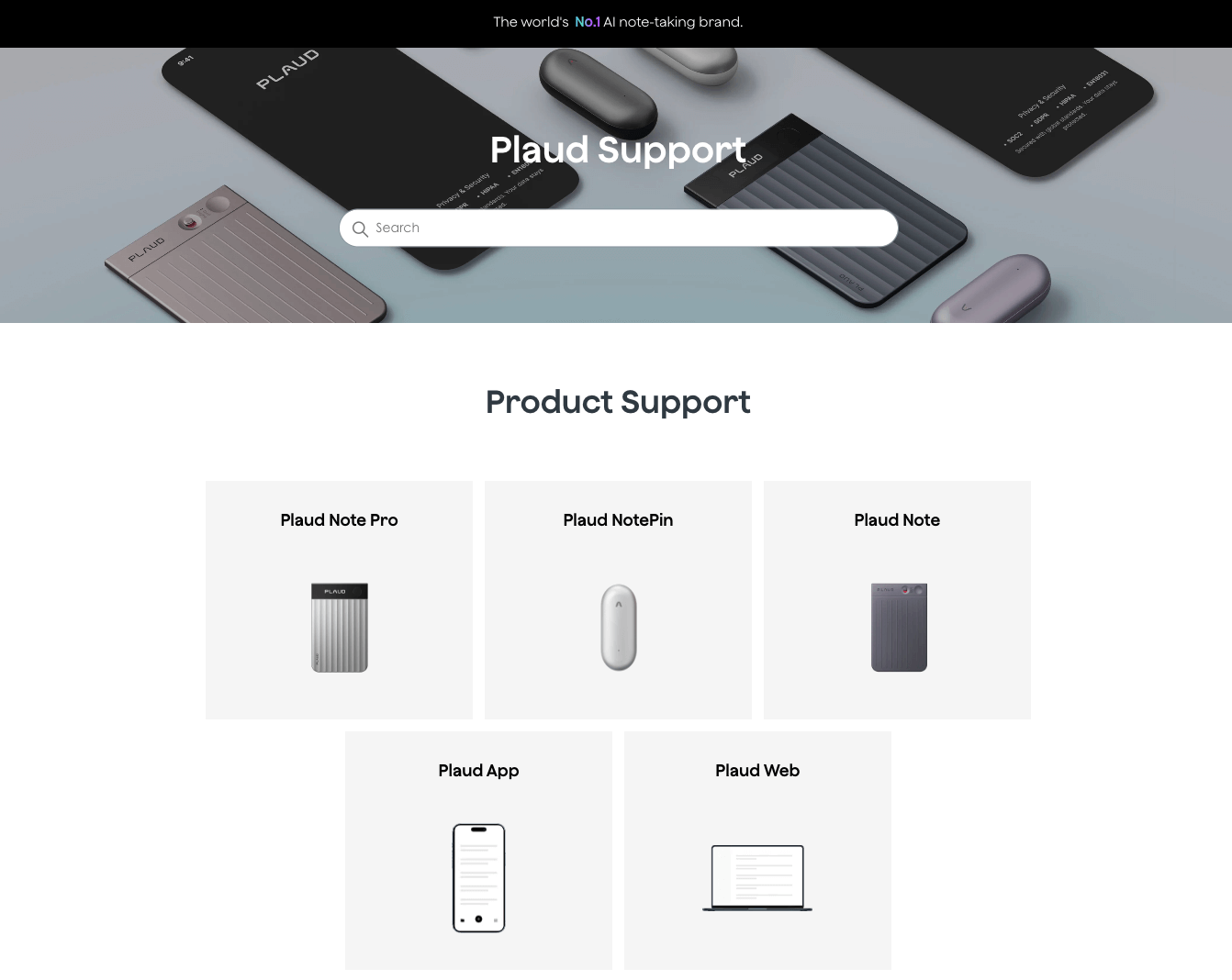
We used the contact form to request help, and a support agent responded within 30 minutes with detailed instructions that successfully resolved our issue.
A phone line would make it even better, but it wouldn’t make much of a difference considering this type of lightning-fast assistance.
With over 500 reviews on TrustPilot, Plaud maintains a 4.7 rating. This outstanding score demonstrates the company’s excellent customer service.
For example, Mary McBeth says:
“Nel responded to my email within a few minutes and provided the solution straightaway. That really boosted my confidence in the level of customer care Plaud offers. Excellent service!”
Plaud is undoubtedly one of the best AI notetaking services on the market.
This service combines robust hardware, software, and state-of-the-art AI capabilities that surpass app-only transcription tools in flexibility. This is true particularly for interviews, phone calls, and in-person discussions.

The device is sleek, and the software offers a remarkable experience due to its efficient noise cancellation, accurate multi-language transcriptions, detailed dialogue summaries, image support, powerful automation, and an extensive template library.
Nonetheless, Plaud Note might not be the perfect fit for specific use cases.
Professionals who primarily record from a desktop or through Microsoft Teams may view the hardware expense as unjustified.
Ultimately, we recommend Plaud Note for on-the-go professionals, such as researchers, journalists, and consultants, who seek reliable hands-free recording with automatic AI transcription and summary capabilities.
Before purchasing, take advantage of the 7-day free trial with no limitations. And, after taking the plunge, remember that you’re covered by a 30-day money-back guarantee.
Yes, Plaud has a phone call recording mode that lets you record phone calls. It requires the user to attach the Plaud device to the back of their smartphone.
The Plaud battery lasts 30 hours if used continuously, and 60 days on standby.
You can check if Plaud is recording by checking if there’s a red light indicator. Plaud also vibrates when it starts recording.
Plaud Notes users several AI models, including GPT-5, Gemini 2.5 Pro, and Claude Sonnet 4.
Yes, Plaud works without a subscription. Everyone who gets the devices can enjoy a transcription quota of 300 minutes per month.
No. Plaud's phone-call mode only works with the smartphone speaker.
The Best Reviews team researches and tests all products first-hand. We've been reviewing products and services since 2012 and are proud to only publish human-created content.

Share your thoughts, ask questions, and connect with other users. Your feedback helps our community make better decisions.
©2012-2025 Best Reviews, a clovio brand –
All rights
reserved