Jace AI is a powerful email assistant designed to bring intelligent automation directly into your Gmail inbox.
What immediately sets it apart is how quickly it starts delivering value by automating labeling, extracting business intel, and drafting emails in your voice with almost no setup.
Unlike standalone AI agents that require custom training or complex workflows, Jace understands your business from day one by analyzing your existing communication.
In our experience, it significantly improved email management in seconds. That’s a game-changer for teams swamped with daily messages.
The only downside? It’s Gmail-only.
Jace offers a 7-day free trial (requires payment info), a 30-day money-back guarantee, and four free months on annual plans. Exit-intent visitors also get up to a 40% discount.
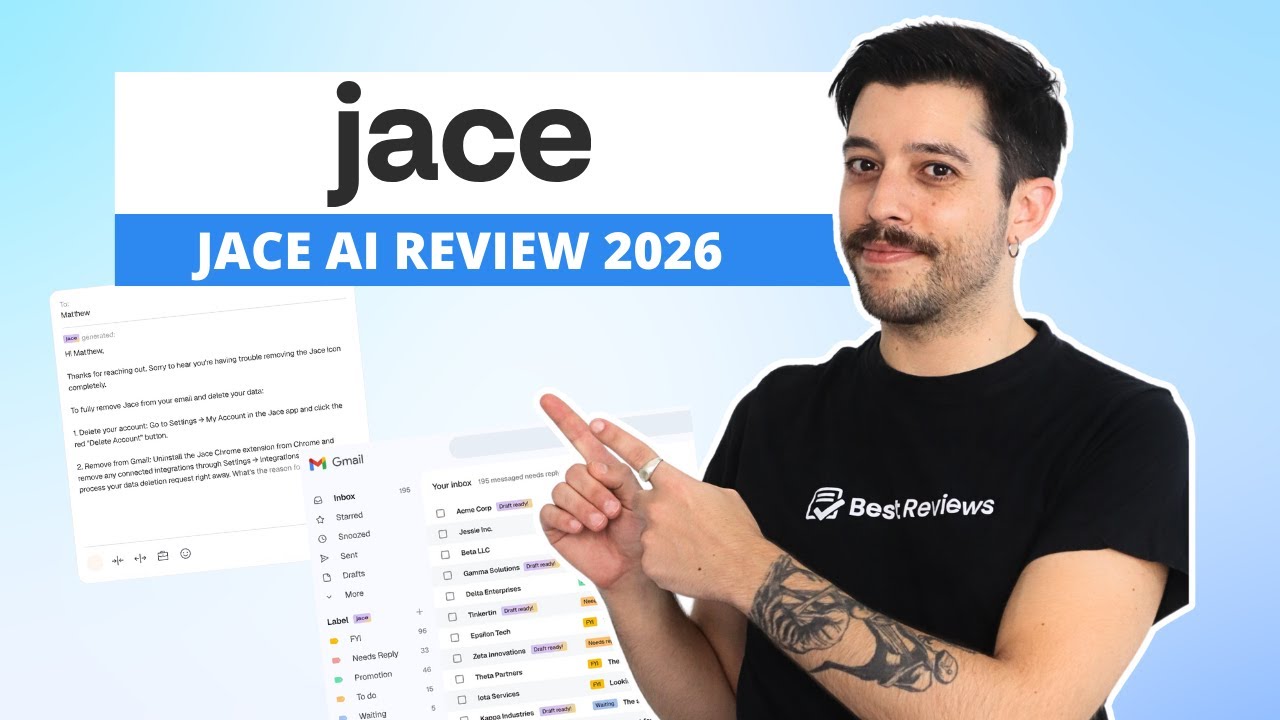
Jace AI is an intelligent email-based assistant that lives inside Gmail.
It acts like a personal chief-of-staff for your inbox, automating repetitive tasks and surfacing important context without requiring constant prompts or setup.
It solves one of the biggest productivity pain points for professionals and teams – email overload. By parsing your Gmail history, Jace learns how your business operates and starts providing relevant summaries, drafts, and insights almost instantly. It doesn’t need training, as it scans all the emails in your inbox.
The product is browser-based, currently available as a Gmail extension or as a native web app.
Ultimately, Jace positions itself not just as an AI assistant, but as a central operating layer for businesses that live inside email.
Jace isn’t a passive AI assistant waiting for instructions. It’s proactive, autonomous, and context-aware, capable of managing your inbox, scheduling your meetings, and surfacing the right information at the right time with minimal direction.
What sets it apart isn’t just the quality of its automation, but how quickly it becomes useful without needing extensive setup or training.
We found that it started delivering value within minutes of connecting to Gmail.
It parsed years of email history, understood our writing style, and began categorizing and replying to messages without breaking stride.
Let’s break down how it works in practice.

This is where Jace feels most like a full-fledged digital coworker.
Once connected to your inbox, it begins categorizing emails by content, sender, and intent. Jace doesn’t just label things; it actually understands the underlying task.
One of the most impressive features is its ability to draft emails in your own voice.
By analyzing your writing patterns, it adapts quickly and reliably. For us, this meant near-perfect phrasing on day one, saving time without compromising tone.
Search is another area where Jace improves on native Gmail.
You can ask it to “find the email where we discussed the October launch” or “What’s the traffic for Best Reviews last month”, and it finds the correct message almost instantly.
We did spot occasional mislabeling during the first few days, but corrections were quick and sticky.
Jace AI learns fast and course-corrects with minimal input.

When you reference a meeting or scheduling topic in an email, it can automatically draft a calendar event.
You’ll get a preview with suggested times, pulled directly from your availability, and it adjusts for time zones and conflicts on its own.
In our case, we found that this eliminated the need for third-party schedulers – Jace AI just handled everything. It even coordinated multi-person meetings without us needing to send a dozen back-and-forth emails.
Availability checks happen in real time, and event suggestions are delivered in natural language. If you’ve ever typed “Let’s meet next week” and immediately had to stop to check your calendar, Jace closes that gap entirely.


Whether you need quick facts, files, or a buried contact, Jace AI acts like a highly capable research assistant.
It performs live web searches to answer questions or surface relevant context while you’re drafting an email. If a client references something unfamiliar or asks a nuanced question, Jace jumps in with accurate summaries or supporting material.
It also indexes your document attachments, allowing you to ask for “the PDF contract we sent to John in June” or “our last draft for the Jace AI review”.
Results are accurate and contextually filtered.
We’ve also seen real value in contact lookups.
Jace AI finds email addresses from your history or identifies who’s connected to a specific project, even if that information only appeared once in a thread two years ago.

Beyond the operational, Jace brings a level of creative utility we didn’t expect from an AI designed around productivity.
It can generate original illustrations based on your input, whether you’re designing a pitch deck or looking for a stylized graphic to accompany a newsletter.
While not on par with purpose-built design tools, the image generation is fast, flexible, and genuinely useful for placeholders and ideation.
Jace also helps with content creation, such as brainstorming ideas, outlining documents, or rewriting segments in a different tone. Because it remembers your voice and priorities, the output tends to require fewer edits than generic AI tools.

What truly sets Jace AI apart from other AI agents is its persistent memory and contextual awareness.
It remembers your preferences across sessions – whether that’s formatting styles, phrasing habits, or how you prioritize different types of clients. It also understands ongoing conversations and uses prior context to shape new actions.
For example, if you’ve told Jace to “always flag anything from Legal as urgent”, it applies that rule automatically moving forward.
If you asked it to respond a certain way in a negotiation thread last week, it will likely do the same in the next one without needing to be told again.
In other words, Jace AI reduces the need for repetitive clarification.
It doesn’t just help you do your work – it starts doing the parts you no longer have to think about.
Jace AI kinda works directly inside Gmail via a browser extension.
Setup takes minutes, and once it’s installed, Jace gets to work labeling and summarizing emails in real time.
However, all drafts are done on the software’s web app, which we honestly prefer.
The platform includes an inbox view, access to all settings, and a built-in chat where you can ask Jace to handle all kinds of tasks, like organizing your inbox or drafting an outbound email from scratch.
It’s a more flexible way to interact with Jace, especially for people who prefer working outside Gmail’s native UI.
Outlook and other email clients aren’t supported yet, but for Gmail users, the experience is streamlined, responsive, and practical.

Jace AI takes a strict approach to data privacy.
Inbox content is never used to train the model, and nothing is stored or accessed beyond the permissions you grant.
All data is also encrypted at rest and in transit, and the company is fully compliant with GDPR, CCPA, and CASA Tier 3.
In practice, this means you stay in control at all times and your inbox remains private. No shadow training, no third-party sharing, and no lingering access.
Jace supports 13 ready-made integrations.
You can plug it into tools like Slack, Notion, and Asana to extend its automation beyond email. For example, you can turn emails into tasks or send summaries to your team in Slack.
Users on Pro and Team plans can request custom integrations for niche tools or internal systems.
Unfortunately, you’ll need a paid account to browse the full list.

In our testing, Jace proved especially useful in three key ways:
Instead of combing through threads, we asked Jace things like “What was the online traffic for Best Reviews last month?” It gave us an answer in seconds.
No digging, no guesswork – just the exact message we needed, pulled from across the inbox.
Because Jace trains on your own email history, the replies actually match your tone. No bland AI voice.
We clicked once and got usable drafts that didn’t need rewriting. For fast-moving conversations, this felt like handing off the first draft to someone who already knows how we talk.
Once connected to your calendar, Jace pulls relevant threads and can draft meeting summaries automatically.
If you provide it with the transcript, it surfaces what was discussed, who’s doing what, and emails a follow-up to everyone involved.
| Lowest price | $17.50/mo |
| Free trial | 7 days |
| Money-back guarantee | 30 |
| Free version |
Jace AI offers three plans: Plus, Pro, and Team.
Plus starts at $17.50 per month with annual billing and is best for individuals, as it only supports one Gmail account and one connected calendar.
Pro jumps to $45.50 per month (also with annual billing) and adds value for power users. It includes everything in Plus, but triples the usage cap, supports up to eight inboxes, and provides multi-account handling, custom integrations, and priority support.
Meanwhile, Team is quote-based and built for larger organizations. Pricing is usage-based and includes a dedicated account manager and more advanced features designed for bigger teams.
There’s a 7-day free trial and a 30-day money-back guarantee. If you opt for annual billing, you get four months free. You can also score up to an extra 40% discount just by exiting the checkout page – you’ll receive an email with a 20% special coupon within minutes, and a second one with a 40% special coupon after one day has passed.
For the volume of work Jace handles out of the box, especially under the Pro plan, the pricing lands well below what most AI productivity tools charge at scale.
Customer support has room for improvement.
It’s only available via email, and when we reached out during setup and clicked on the support request, Jace AI initially added an email address that doesn’t exist.

Nevertheless, when we did send the message to the right place, we were happy with the quick and helpful response we got, which took one workday to arrive.
Additionally, the only documentation we could find is a basic FAQ on the website, which is brief and not enough.
Jace AI is active on X, LinkedIn, TikTok, Instagram, and YouTube, but these channels are focused on promotion rather than support.
The company does have a Discord server, which functions as a community forum. While it’s not a replacement for formal documentation, users may find answers there by connecting with other customers.
There isn’t a dedicated knowledge base or onboarding guide either. Of course, you can always ask Jace AI, and it will tell you how to make the most out of the platform.
Custom GPTs require prompting, manual training, and lack native integrations. Jace skips all that by using your Gmail to self-train. It’s faster and more contextual, but less flexible in scope.
Rewind focuses on personal memory and screen recording. Jace is task- and communication-focused. If you want to manage your inbox, Jace wins. For time travel or recall, Rewind might be better.
Notion AI is a good writer and knowledge assistant, but it lacks direct inbox access unless you use Notion Calendar. Zapier AI is better for advanced workflows, but harder to use. Jace AI sits between them: more contextual than Notion AI and more accessible than Zapier.
Jace AI is the best Gmail assistant we’ve tested.
It’s fast, accurate, and ready to help from the second you install it. The ability to pull insights from your inbox and craft email drafts in your own voice saves time – and everything happens inside Gmail.

We’d love to see support for other email clients like Outlook, but the current Gmail-focused experience is polished and remarkably useful.
Jace AI is ideal for busy professionals, founders, ops teams, or anyone whose job revolves around managing lots of emails.
If that sounds like you, Jace is well worth a test drive.
Yes, Jace AI is safe to use. All communication is encrypted, and no conversations are stored or used to train the AI model.
Unlike most AI tools that give you suggestions, Jace drafts real emails, sets up meetings, and handles multi-step workflows directly inside your Gmail and Calendar.
It mimics your tone, adapts to each contact based on past conversations, and keeps your threads coherent. It’s also proactive: if you mention scheduling, it starts drafting before you even ask.
Most AI tools are chat-based or surface-level. Jace is operational and deeply embedded in how you already work – especially with email.
No, there isn’t a free version of Jace AI. However, you can test it out through the 7-day free trial. There’s also a 30-day money-back guarantee in case you change your mind after purchasing the service.
Yes, you can use Jace AI for team collaboration, but with important limitations. Jace supports collaborative tasks like multi-person email coordination, meeting scheduling, project updates, and document sharing. However, it operates through your personal Gmail and Calendar accounts, not a shared team workspace.
The Best Reviews team researches and tests all products first-hand. We've been reviewing products and services since 2012 and are proud to only publish human-created content.

Share your thoughts, ask questions, and connect with other users. Your feedback helps our community make better decisions.
©2012-2025 Best Reviews, a clovio brand –
All rights
reserved