Certifier is an online certificate maker that eliminates the manual work involved in issuing credentials at scale by automating the creation, distribution, and management of digital certifications and badges.
The company is trusted by over 2,000 organizations, including renowned brands such as Amazon, Volvo, Duolingo, and Warner Bros., and has already helped companies issue over 10 million certifications.
The best part is that you can issue up to 250 certifications for free, without hosting fees or hidden costs – an excellent option for small programs and courses.
In addition to discounts of up to 15%, all purchases are accompanied by a 30-day money-back guarantee.
Certifier automates certification management, eliminating the tedious manual work involved in issuing credentials at scale.
Imagine you’re issuing 200 certifications for a language learning course. You would have to design, write the copy, and deliver all six certification levels manually.
It would require hours of tedious work that could be allocated elsewhere, with a lot of room for mistakes to happen. This is when Certifier steps in.

It can save you hundreds of hours on any project that requires certifications or badges, such as training programs like OSHA, CPD/CPE accreditations, webinars, skill enhancement workshops, or mentorship sessions.
In essence, Certifier effectively addresses inconsistent branding and delayed badge distribution, which can erode brand credibility and customer trust.
With Certifier, you’re able to issue your first certification in under 10 minutes from a refined and polished web dashboard.
Here’s how Certifier features can help you, depending on your needs:
| Educational courses | Events | Corporate modules/training |
|---|---|---|
| Automatic creation of certificates and badges | QR code attendee verification | Compliance with GDPR and ISO standards |
| Ability to send certificates in bulk | Enhanced social media sharing | Employee credentials management |
| Compatibility with Learning Management Systems (LMS) | Email automation campaigns | Branded learning portal (customizable) |
| Student engangement monitoring | Personalized branding | API access for tailored integrations |
| – | Analytics dashboard | Team collaboration features |
Certifier offers an extensive library of over 2,000 templates, including some specifically designed for CPD, completion, participation, webinars, training, and more. We were surprised by how easy it is to find the templates you want by filtering them by category, style, and color.
All templates are fully customizable via an intuitive drag-and-drop editor. This personalization goes from text and logo to background and graphic elements, and it’s even possible to start from scratch.
We especially loved the support for QR codes on certifications. You can include a QR code that redirects to either a custom page or a verification page displaying the digital certificate.
Another notable highlight is the dynamic attributes, which let you deliver hundreds of personalized certifications quickly and efficiently. The attributes automatically fill in information about the recipient name, issue date, avatar, group name, instructor name, company, and event name.


After creating a template, you need to assign it to a group, which is essentially the course or training program for which you made the certification.
For example, if you’re issuing certificates for a training program about creative writing, the group would be ‘Creative Writing Course’.
For each group, you can customize:


Although you can use Certifier to issue certifications manually, what it excels at is sending them out in bulk.
Once your groups are up and running, you can upload your recipients’ information via a spreadsheet in CSV, XLSX, or XLS format.
It’s true that you’ll need to prepare the file, but using the readily available template offered by Certifier makes the process pretty smooth. Unless you want to add specific attributes, like age or address, you only need the recipient’s name and email.
After uploading, you can quickly map the columns and preview the credential or badge, as well as view what the email recipients will receive.
For delivering certifications and badges via email, it’s possible to issue them immediately or schedule them for a later time. Alternatively, you can issue them without sending the recipient an email, and in that case, the method of delivery is at your discretion.
Something we really liked is that if you notice that something’s wrong in an issued certificate that has already been sent, you can still edit it, and the changes will be updated instantly.


Certifier offers complete brand control by letting you add multiple brands (workspaces) and set up each one according to its visual identity.
You can also provide recipients with a personalized, login-free portal that allows them to access all their credentials. This branded portal lets recipients effortlessly control, verify, download, and share their credentials without having to create an account.
Speaking about sharing credentials, we’d like to highlight the option to share credentials directly on LinkedIn – a significant advantage for anyone looking to improve their profile with a couple of clicks.
If you’re issuing certificates and badges, you’ll want to track how recipients interact with them.
On the platform, you have a designated tab for analytics that includes credential delivery insights, such as emails and credentials opened, as well as recipient engagement metrics, including LinkedIn shares, copied links, and PDF credential downloads.


For large companies, Pathways are particularly valuable. They offer the option of multi-step learning journeys, where recipients must meet specific requirements to have certifications issued automatically.
This feature is especially convenient if you’re looking to encourage course completion, boost engagement, and identify where learners abandon the journey.
Certifier doesn’t offer a mobile app, but the platform and the recipient’s portal are fully mobile responsive. You can log in via the mobile browser and access all features.
Since the drag-and-drop editor was designed for larger screens, customizing certificates and badges isn’t as straightforward.
Certifier integrates with Microsoft Excel, Google Sheets, and Google Forms, as well as major LMS, CRM, and automation tools, including Zapier, WordPress, Mailchimp, and HubSpot.
Additionally, the company offers API access for specific situations where a custom integration is necessary.


| Lowest price | $33/mo |
| Free trial | |
| Money-back guarantee | 30 Day(s) |
| Free version |
Considering the abundance of features, Certifier definitely offers competitive pricing.
Certifier's final price depends on the number of credentials you need support for and the package you select: Starter, Professional, or Advanced.
Starter is Certifier's free plan, which supports up to 250 credentials per year. Although it offers only basic features, it’s an excellent choice for small programs or courses.
For more features or credentials, paid plans start with Professional at $33 per month for 250 credentials (billed annually). Compared to the free plan, it adds support for more groups, users, and attributes.
The Advanced plan starts at $212 per month (also for 250 credentials and billed annually). It’s a steep price, but it comes with state-of-the-art features, such as a dedicated issuer portal, a custom domain, role-based access, and learning pathways.
Certifier supports up to 50,000 certificates.
It’s possible to get a rundown of the platform through a free demo. Plus, there’s a 30-day money-back guarantee in case you aren’t satisfied after subscribing to a paid plan.
| 24/7 | |
| Live chat | |
| Phone |
Certifier customer service resources include a blog, video tutorials, FAQs, and even a free AI certificate generator.
For human assistance, it offers email and live chat support, available Monday through Friday.
During our testing, we sent an email asking about payment methods and received a cordial and succinct reply in less than 10 minutes.
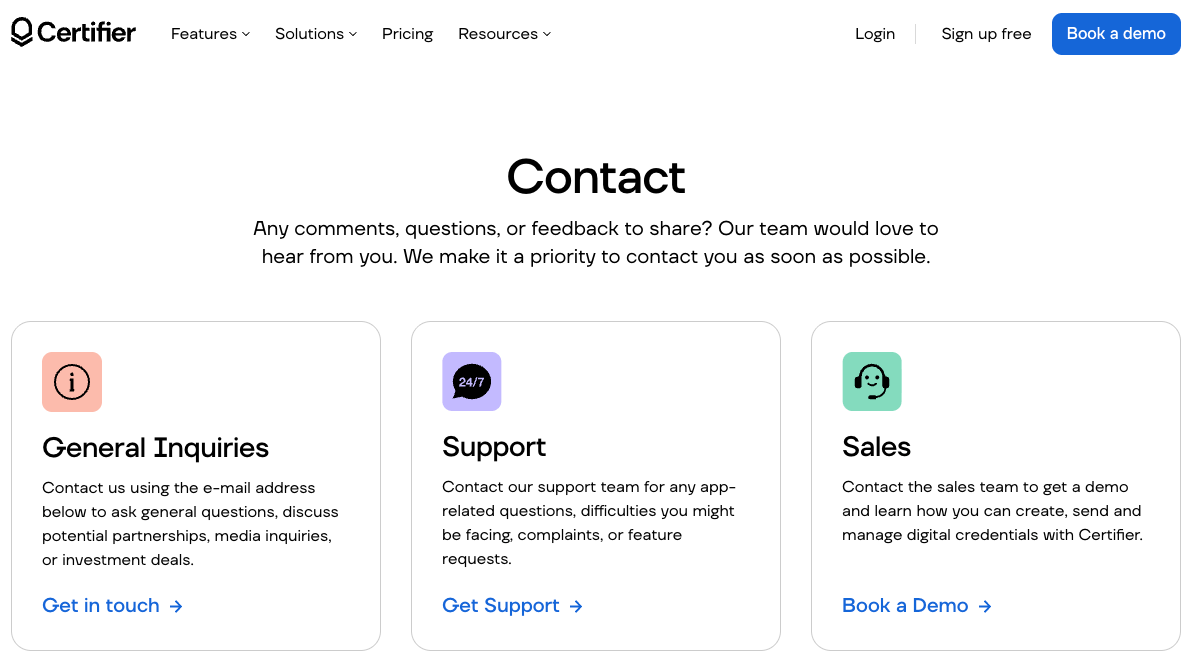
The fast response aligns with the company’s 4.8 rating on TrustPilot. Like us, Sean also had a great experience, as mentioned in a comment:
“Just sent out my 12th certificate–incredible product, incredible process.
If you’d like to stay connected with everything about Certifier, you’re able to do so via the company’s social media channels on LinkedIn, Pinterest, Facebook, YouTube, and Instagram.
Certifier streamlines certification management through automation, potentially saving hundreds of hours on manual tasks.
There might be a slight initial learning curve for people less familiar with online certificate makers, but it’ll pay off in the long run.

The platform offers tools to design striking certificates and badges, deliver them with a few clicks, and track engagement via analytics.
And the fully branded portal, which allows recipients to control, verify, download, and share certificates, is an excellent extra to show a professional image.
We suggest taking a look at its free plan or taking advantage of the 30-day money-back guarantee to try out all paid features risk free. If you opt for this route, remember that going for an annual plan gets you a 15% discount compared to monthly billing.
The Best Reviews team researches and tests all products first-hand. We've been reviewing products and services since 2012 and are proud to only publish human-created content.

Share your thoughts, ask questions, and connect with other users. Your feedback helps our community make better decisions.
©2012-2025 Best Reviews, a clovio brand –
All rights
reserved